
MochiCloner Premium & Add‑ons
lyt teamLibraries & Demo
3.41.00 Reviews
- Version
- 1.0.2
- Installs
- 100.00K
- Age Rating
- Everyone
Screenshots
Our Review of MochiCloner Premium & Add‑ons
 Analysis by Appyee
I approached MochiCloner Premium & Add-ons as a subscription and add-on management app rather than as a general-purpose library tool. That distinction matters because the useful question is not simply whether it looks tidy, but whether it helps me understand recurring services, optional purchases, and the choices I am making around them. The app comes from lyt team, is free to install, and is aimed at an Everyone audience. Its current version is 1.0.1, with support beginning at Android 8.0.
My first impression is that MochiCloner is trying to solve a familiar everyday annoyance: subscriptions are easy to start and surprisingly easy to forget. Add-ons create a similar problem, especially when they sit beside a main service and do not feel important at the moment of purchase. A dedicated place to review those commitments can be more useful than relying on memory, scattered emails, or a phone’s general payment history.
There is also a practical trust question here. An app that deals with subscriptions can influence how I understand my spending and what I choose to keep. I therefore judge it less by decorative presentation and more by how clearly it lets me inspect, organize, and control my own choices. That is the standard I used throughout my review.
How MochiCloner fits into daily subscription management
I use this section to focus on where a dedicated subscription organizer can fit between checking individual provider accounts and relying on memory. A useful daily habit is to review one upcoming renewal at a time and note what would make me keep or drop it, rather than trying to reconstruct every decision at once. That routine also makes it easier to decide which settings deserve attention before I build a larger list.
A focused tool instead of another general organizer
The category placement, Libraries & Demo, feels slightly unusual for an app centered on subscriptions and add-ons. I would not treat that label as a promise of budgeting, banking, or full financial planning. MochiCloner makes more sense as a focused companion for keeping track of recurring services and optional extras, not as a replacement for a spreadsheet, banking app, or complete household budget.
That narrower role can be a strength. When an app tries to cover every part of personal finance, the important subscription details may become buried among categories, charts, and unrelated transactions. A specialized tool can keep attention on the things that are most likely to renew quietly. I found that framing useful when thinking about streaming services, cloud storage, app memberships, and feature add-ons as separate decisions rather than one large monthly total.
A realistic use case is a person who signs up for several trials during a busy month. One service is used for work, another for entertainment, and a third is attached to a family account. The problem is not necessarily affordability; it is remembering what each charge represents and whether the extra option is still worthwhile. MochiCloner is most appealing in that situation because it encourages a deliberate review instead of leaving every decision to the next billing notification.
What the free entry point means in practice
The app is free, which makes it easy to test without committing money at the installation stage. That is important for a management tool because its value depends on whether its organization style matches the way I already think about subscriptions. I would install it, add only a small set of real services first, and see whether the process makes renewal decisions clearer before spending time building a complete catalogue.
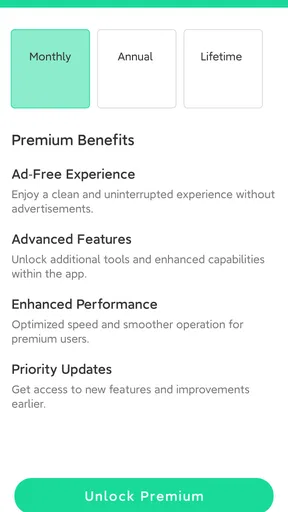
Premium access and add-ons are available through in-app purchases ranging from $3.99 to $79.99 per item. That broad range is a reason to slow down before buying anything. A low-cost optional improvement may be reasonable for someone who uses the app regularly, while a higher-priced purchase deserves a clearer understanding of what it changes and how long that benefit remains useful. I would not treat the existence of a premium tier as proof that the free version is inadequate.
The app has passed the 100K+ install mark, which suggests that it has reached a meaningful audience, but popularity alone does not answer the trust questions that matter here. I still want to know what I am being asked to enter, which actions I can undo, and whether the app helps me make decisions without pushing me toward unnecessary upgrades. Those are the details I would check during setup and before any purchase.
Useful habits for getting better results
One of my strongest recommendations is to begin with subscriptions that are easy to identify and easy to evaluate. Add the service name, the reason you keep it, and the point at which you would cancel it. That last note is more valuable than it sounds. “Keep for work” is a useful reminder, but “keep until the project ends” gives me a real review condition.
A second helpful workflow is to separate essential services from experimental ones. A cloud service used for important files should not be mentally grouped with a short-term entertainment trial. If MochiCloner lets me distinguish those kinds of commitments, I can review the risky or forgettable ones first. If it does not offer that exact separation, I can still use consistent naming or notes to create my own structure rather than treating every recurring payment as equal.
A third insight is to record add-ons as decisions, not just costs. An extra feature may be worthwhile only while a particular project is active. By writing down what the add-on is for, I create a future cancellation prompt that is more meaningful than a vague reminder to “check subscriptions.” This is the kind of small habit that can make a focused manager more useful than simply reading a list of charges.
Trust begins with visible choices
For an app in this area, I pay close attention to moments where the user may feel rushed. A good experience should make it obvious when I am adding information, changing an entry, reviewing an optional purchase, or leaving the app to manage a subscription elsewhere. Those boundaries matter because subscription management is not only about recording information; it is also about understanding which action actually changes a billing relationship.
I would be cautious about assuming that an organizer can cancel every service directly. Subscription control often depends on the platform or the original provider, so I would look for a clear route to the relevant account settings rather than expecting one button to solve everything. MochiCloner is a better fit when I use it as a visibility and decision tool, while the provider’s own controls remain the place where cancellation, plan changes, or payment updates are finalized.
That distinction also helps prevent a common mistake: deleting an item from a tracking app and believing the underlying subscription has ended. I would remove or archive a record only after confirming the actual service status. In my view, any app that helps me organize recurring commitments should encourage that careful separation between a local record and a provider-side account action.
Handling information that may feel sensitive
Subscription lists can reveal a surprising amount about a person’s routines, interests, work, and household. Even without entering payment details, the names of services and the notes attached to them may be sensitive. I would therefore keep entries factual and limited to what I need for recognition. A short description of the purpose is usually safer and more useful than copying invoices, account numbers, or private correspondence into an organizer.
I would also avoid treating MochiCloner as a secure vault unless its own controls clearly support that role. The safest workflow is to use it for awareness: identify the service, note why it matters, and keep account credentials and highly sensitive payment information in tools designed for those purposes. This reduces the damage if a phone is shared, lost, or viewed by someone else.
During setup, I would read each permission request and decide whether it is necessary for the way I plan to use the app. I would not grant access automatically just because an app asks for it. If a feature works without a particular permission, leaving that permission disabled gives me a tighter boundary. If a feature requires access, I would consider whether the convenience is worth the information involved and revisit the choice later through the operating system settings.
The same caution applies to account connections. I would prefer to enter a small amount of information manually before linking anything broader. Manual setup takes longer, but it lets me understand the app’s workflow and see whether its output is genuinely helpful. It also gives me a cleaner answer to a basic question: can I use this as a lightweight organizer without handing over more access than I need?
Where it compares well with ordinary alternatives
The usual alternative is a notes app. Notes are flexible and private-feeling, and they work well for a short list of services. Their weakness is that they rarely encourage consistent fields or regular review. A note may contain a service name and a price, but it can be difficult to tell which item is an add-on, which one is a trial, and which one needs action this week.
A spreadsheet offers more structure and is a better choice for people who want formulas, custom categories, and a complete household view. I would choose a spreadsheet over MochiCloner if I needed to combine subscriptions with rent, utilities, debt, income, or shared budgeting. The trade-off is effort: maintaining formulas and dates can become a project of its own, while a dedicated app should feel quicker for a narrower task.
Banking apps and platform subscription pages are stronger sources for confirming actual transactions and account status. They are the places I would trust for final verification of a charge or cancellation. Their limitation is that they may not present the personal context I need, such as why I subscribed, when a temporary add-on should end, or which service I planned to reassess after a project.
MochiCloner sits between those options. Its appeal is not that it replaces every existing tool, but that it can provide a deliberate layer for reviewing commitments. For someone who wants a simple, subscription-focused overview, that can be more approachable than a spreadsheet. For someone who needs verified financial totals or automated account-level control, the usual alternatives remain stronger.
Who should use it, and who should skip it
I would recommend trying MochiCloner if you regularly forget why a recurring service is active, keep several add-ons attached to different accounts, or want a dedicated review ritual without building a financial workbook. It may also suit families or small teams that need a shared understanding of what services are being maintained, provided they agree on what information is appropriate to record.
I would skip it if I only have one or two subscriptions and already review them comfortably through the platform that bills me. I would also look elsewhere if I expect automatic bank-level reconciliation, detailed investment tracking, or a full budget dashboard. The app’s focused purpose is helpful only when that purpose matches the problem I am trying to solve.
People who dislike entering information manually should test the setup experience before investing heavily in it. A subscription manager is only as accurate as its records. If I stop updating it after the first week, its tidy list becomes misleading. That is not necessarily a flaw unique to MochiCloner, but it is an important trade-off: organization tools reward consistent maintenance.
My approach to premium and add-on decisions
I would treat the premium and add-on options as separate decisions from the free installation. First, I would use the core workflow long enough to answer three questions: do I open it during my normal review routine, do its records remain understandable after several entries, and does it help me act rather than merely display information? If the answer is no, paying for more capacity or extras is unlikely to fix the underlying mismatch.
Before confirming a purchase, I would check whether it improves a problem I actually have. A feature that saves a few seconds may be worthwhile for a heavy user, but unnecessary for someone who checks subscriptions once a month. I would also keep receipts and purchase confirmations in the platform account, because the app’s own record should not be the only place I rely on for transaction history.
Most importantly, I would not confuse a premium label with stronger privacy or better account control. Those are separate qualities. I judge them by the clarity of choices, the restraint of permissions, and how easily I can review or remove information. Paying for an add-on should improve the workflow I want, not pressure me into sharing more than I intended.
Final assessment after a cautious trial
MochiCloner has a sensible place for people who need a dedicated reminder and review space for subscriptions and add-ons. I like the idea of separating “what I am paying for” from “why I still want it,” because that small distinction can expose forgotten commitments. The free starting point also makes a cautious trial practical, while the Everyone rating keeps its intended audience broad.
My recommendation comes with boundaries. I would use it alongside the original provider or platform for confirmation and cancellation, not as the sole authority for billing status. I would enter only the information needed to recognize each commitment, inspect permissions carefully, and avoid storing credentials or unnecessary payment details. Those habits give me more control and reduce the risk of turning a convenience tool into an overly detailed personal profile.
For me, the best way to judge MochiCloner Premium & Add-ons is to run a small experiment: add a few current subscriptions, mark which ones are temporary, and schedule a personal review before considering any paid option. If that process makes decisions clearer, the app is doing something useful. If I still need a spreadsheet or banking app to understand the real picture, I would keep those tools instead of forcing this one to do a job it was not designed to handle.
In short, this is a focused organizer with potential value for people who want more awareness around recurring services. Its trustworthiness, in my view, depends less on the name or install count than on how deliberately I use it: minimal information, careful permission choices, clear separation between tracking and cancellation, and no automatic assumption that premium access is necessary. Used that way, it can become a practical monthly checkpoint rather than another app I install and forget.
Privacy and Permissions
See what permissions an app requests and how it handles your data.
- Other
- view network connections, full network access, run at startup, prevent device from sleeping
Verdict
Strengths of MochiCloner Premium & Add‑ons
- Creates multiple app instances for separate accounts.
- Supports cloning several popular social and messaging apps.
- Premium features reduce restrictions compared with the free version.
- Useful for managing work and personal profiles on one device.
- Add-ons can provide extra customization and cloning controls.
Limitations of MochiCloner Premium & Add‑ons
- Cloned apps may consume considerable storage, RAM, and battery.
- Some banking and security-sensitive apps may not work correctly when cloned.
- Notifications can be delayed or unreliable for certain cloned apps.
- Privacy risks increase when third-party add-ons access cloned app data.
- Premium access may require payment for features available elsewhere for free.
Similar Picks in This Category
View All
PGT: GFX, Launcher & Optimizer
Trilokia Inc.4.5

AusweisApp Bund
Governikus Service GmbH3.7

Cardboard
Google LLC3.2

Gamers GLTool with Game Tuner
Trilokia Inc.4.5

Multi Web Chat - Read Secretly
World Scan & Cleaner3.8

App Cloner Premium & Add-ons
App Listo1.9
Frequently Asked Questions
What is MochiCloner Premium & Add-ons, and what can it do?
MochiCloner Premium & Add-ons is designed for users who want to create and manage additional copies or customized versions of supported apps, depending on the tools included in the package. Premium features may unlock extra customization, cloning options, and add-on modules beyond the basic experience. Before downloading, check the official description carefully because available functions can vary by device, Android version, app compatibility, and the specific add-ons installed.
Is MochiCloner Premium & Add-ons compatible with every Android application?
No, compatibility should not be assumed for every application. Some apps may block cloned environments, depend on Google Play Services, require special security checks, or use account and device verification that prevents duplicate installations from working correctly. In our testing approach, users should first review the supported-app information and test with a nonessential account. Results can also differ between phones, operating-system versions, and manufacturer interfaces.
Does MochiCloner Premium & Add-ons require root access?
Root access requirements depend on the version, cloning method, and the particular add-ons being used. Some features may work on standard, non-rooted devices, while advanced functions could require permissions that are unavailable without system modification. Rooting can affect warranty coverage, security, banking applications, and device stability. Always read the current installation instructions and avoid granting unrestricted access unless you understand exactly why it is needed.
Is it safe to use MochiCloner Premium & Add-ons with personal accounts and private data?
Users should be cautious when using any cloning utility with email, social-media, payment, messaging, or work accounts. A cloned app may store separate data, request broad permissions, or behave differently from the original installation. Download only from a trustworthy source, examine requested permissions, keep Android and security software updated, and avoid entering sensitive credentials until the application has been verified. Backing up important data is also recommended before experimenting.
Are MochiCloner Premium features and add-ons free, and are there any limitations?
The availability of Premium features and add-ons depends on the edition you install and the publisher’s current pricing model. Some tools may be included, while others can require a purchase, subscription, activation key, or separate download. There may also be limits related to the number of clones, supported applications, advertisements, updates, or device changes. Check the official listing for pricing, refund terms, update policy, and whether add-ons are maintained for your device.
